
Invoices might seem like a drag, but they’re key to getting paid. Net 30 invoices, where clients have 30 days to pay, are pretty common. They look simple, but you gotta watch out for mistakes when making them. This blog will point out some common slip-ups to avoid, to keep your finances in check. Happy invoicing!
Why Do Invoicing Mistakes Happen?
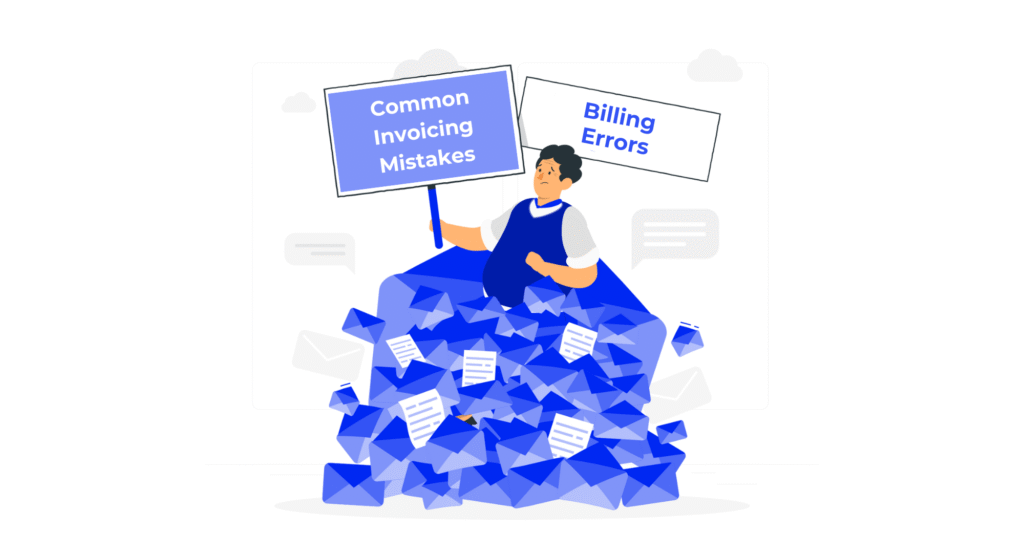
Making invoices seems easy, but many things can go wrong, messing up your company’s money. Here’s why these mistakes happen.
Lack of Standardized Invoicing Processes
A lot of businesses don’t really have a system for doing invoices. If there’s no set process, then people might do things differently, and that will cause slips and mess things up. If you have a simple guide on how to make, check, and send invoices, then you could cut back on errors a lot.
Human Error in Manual Invoicing
When you do invoices by hand, mistakes happen. Typos, bad math, or wrong info can slow down payments and make clients unhappy. Automating invoices can really lower the number of those errors.
Misunderstanding or Overlooking Payment Terms
If the team doesn’t get the payment rules or forgets them, it can cause issues and disagreements with clients. So, make sure to train your people well and get everyone on the same page about how payments work.
Inadequate Tracking of Invoices and Payments
If you don’t track invoices right, they can easily get lost. And that can cause late payments and money problems. But if you use a good tracking system, you can make sure every invoice is counted for and people follow up fast to get paid.
Inconsistent or Unprofessional Invoice Design
If your invoices are a mess or look unprofessional, clients might get confused, and it can make your business look bad. So, make sure all your invoices have a clean, consistent design.
Lack of Communication with Clients
Keeping clients in the loop is key to good invoicing. A lot of the time, problems pop up because clients don’t know enough about how invoices work or what’s going on with them. Talking to them regularly can stop misunderstandings and keep fights from happening.
Failing to Account for Taxes or Legal Requirements
Forgetting about taxes or legal stuff can make things tricky with your money and the law. It’s really important to know the rules that apply to your business and be sure your invoices follow them, so you don’t get fined.
What are Common Errors in Invoice Processing?
You can easily mess up invoice processing and hurt your profits, even if you mean well. Let’s look at these mistakes and how to not make them.
Mistake #1: Not Including Clear Payment Terms
If your invoice doesn’t say when payment is due or how to pay, expect confusion and delays. Make sure you spell out the due date and how you want to get paid. Being clear helps get you paid faster and avoids fights.
Mistake #2: Failing to Include All Necessary Information
Missing info on an invoice, like the number, due date, or how to pay, can cause holdups and be annoying. Just be sure each invoice has all the right stuff, so things go smoothly when it’s time to pay.
Mistake #3: Not Specifying Late Payment Fees
If you don’t spell out the late payment fees, customers might not feel any rush to pay on time. So, being clear about your late fee rules can help people pay sooner and protect your money.
Mistake #4: Miscalculating the Invoice Total
Mistakes in calculations happen a lot, especially when you do invoices by hand. Always check your numbers before sending anything out so people aren’t confused and you look professional.
Mistake #5: Not Having a Professional Design
If your invoices look bad, people might not trust you. So, make sure they look good, are easy to read, and have your logo on them. This helps show you’re professional.
Mistake #6: Forgetting to Follow Up on Unpaid Invoices
If you don’t chase up on those late invoices, your business could suffer financially. So, make sure you have a system that allows you to regularly check which invoices are outstanding and also a plan for how to follow up with customers.
Mistake #7: Not Using Invoice Automation Tools
Doing things by hand can be slow and lead to mistakes. If you use automated invoicing, it will speed things up and cut down on errors. Plus, it might even help you get paid faster because the system can send reminders to customers.
How to Avoid These Common Net 30 Invoice Mistakes
Making Net 30 invoices isn’t just about filling out a form. It’s about making sure you get your money on time and keep a good relationship with your clients. Let’s see how to dodge common errors and get your invoices working for you.
Set Clear and Consistent Payment Terms
Okay, so first off, get your payment due dates super clear. If things are unclear, invoices can get messy. Net 30 means payment should be in 30 days after the invoice date. Tell people this right away and stick to it for all invoices. If you do, people will trust you more. Talk about payment due dates when you start working with someone and put it in your contracts, that way there are no problems later.
Include All Necessary Information on the Invoice
If your invoice is missing stuff, you might not get paid quickly and will have to keep talking to your clients to sort things out. Make sure each invoice has:
– Your company’s name and how to reach you.
– Who the client is and how to reach them.
– An invoice number so you can keep track of things.
– The date of the invoice and when it’s due.
– Exactly what you did or what products you provided.
– The total amount your client needs to pay.
Having all the right details ready helps you save time and keeps everything clear, meaning clients can pay easier.
Specify Late Payment Fees and Consequences
Okay, so nobody wants to think about it, but you gotta spell out what happens if someone pays late. Putting late payment fees on your invoice? Smart move. It can stop people from paying late. Tell them exactly how much extra they’ll owe if they miss the deadline. Being clear helps clients pay up fast, so you get your money without a hitch.
Double-Check for Accuracy in Calculations
Math mistakes can slow down payments and hurt your rep. So, take a sec to check every number on your bill. Use a calculator or billing program to be sure things are spot on. Messing up can make clients doubt your bill, which holds things up and annoys everyone. Getting your bills right shows you’re a pro and careful, and that helps keep clients happy and trusting you.
Use Professional and Consistent Design
Invoices do make a first impression, so make them count! If your invoice looks pro, clients will know you’re serious. Keep the design consistent – slap on your logo, use your brand colors, and make sure everything’s easy to read. A pro design makes your company look good and makes it easier for clients to pay.
Follow Up on Overdue Payments Promptly
Hey, stuff happens, and payments can get missed. Make sure you’re keeping track of what’s owed and chasing up on late invoices. A quick, friendly email or call can really help. It’s about getting paid while still keeping things good with your clients. Usually, they’re happy to pay; they just need a little reminder.
How The CEO Creative Can Help?

Running a biz is hard enough without messing with invoices. Good thing The CEO Creative is here to help! We can make invoices just how you like them. We’ll design pro-looking invoices and make sure all the info is right, which can make your money stuff easier. Plus, we’ll send reminders and keep track of everything, so you always know where your cash is.
Using a service like The CEO Creative gives you more time to actually grow your biz. We know our stuff, so you won’t make common invoicing mistakes and you’ll get paid on time. This also helps you look more professional. Contact us today, and let’s make your business’s money future great!
Conclusion: Avoiding Mistakes for Smoother Business Transactions
Mistakes happen in business, it’s part of the game. But, making sure your Net 30 invoices are correct can help you get paid faster. These invoices are a key part of keeping your business running smoothly. If you are clear and accurate, you’ll likely get payments on time, which is good for your cash flow and business.
Here are some things to remember when making Net 30 invoices:
– Info Must Be Right: Check everything on your invoice to be sure it’s correct. This means your business name, customer info, and how they should pay you. Mistakes can cause issues and delays.
– Be Clear About Payment: Explain what “Net 30” means on your invoices. Make sure your client knows when they need to pay you and if they get a discount for paying early. Being open helps avoid confusion.
– Send Invoices Often: Get into a habit of sending invoices after you finish a service or send a product. Doing it regularly helps clients know when to expect your invoices and pay them sooner.
– Use Software: Think about using programs to make and track invoices. Doing this helps lower mistakes and keeps things in order.
If you remember these tips and keep improving how you invoice, you’ll avoid problems and have smoother business deals. Paying attention to the small stuff can really help your business relationships and make sure your money stuff goes well. In the end, avoiding invoice mistakes helps you keep your books balanced. That will make your business stronger.
Frequently Asked Questions
What is the difference between Net 30 and Net 60 payment terms?
Net 30 means they have 30 days from the invoice date to pay. Net 60 gives them 60 days. Which one you pick depends on how quickly you need the money and if you trust your client to pay on time.
How can I ensure my clients pay on time after receiving a Net 30 invoice?
Want to make sure you get paid on time? Here’s what I suggest:
– Be Clear Upfront: Tell people when they need to pay.
– Send Reminders: Send a note before and after the date it’s due.
– Give a Discount: Maybe take a little off the price if they pay early.
– Make it Easy to Pay: Let them pay online, with a card, etc.
How do I create a professional-looking Net 30 invoice without a graphic designer?
Making pro invoices is easy if you have the right stuff. You can try invoice software or just grab a template online. Usually, you can add your logo, brand colors, and all the important details. Just make sure everything’s clear and short, so clients get it right away.
What should I do if a client refuses to pay a Net 30 invoice?
If a client doesn’t pay, first, try to figure out why. Send them a nice reminder or two, and if that doesn’t work, give them a call to chat about it. If you still don’t get paid, think about hiring a collections agency or, as a last step, taking legal action.
Are there alternatives to Net 30 for businesses that need faster payments?
Sure thing! If you want to get paid faster, think about using Net 15 or getting paid upfront. Chat with your client about how you want to get paid so everyone’s happy. You could also give discounts for paying early, which might get clients to pay up quicker.
Should I include taxes in a Net 30 invoice?
If your business needs to collect taxes, yeah, include them. Show how much tax and what percentage you’re adding. Being upfront keeps things clear and follows the rules.
How do I handle international clients with different payment terms or currencies on a Net 30 invoice?
When dealing with clients overseas, make sure you agree on payment terms that suit everyone. Say exactly which currency they should pay in. It might be worth looking at invoicing software that handles different currencies. That way, things will be smoother and less confusing.
Can two different invoices have the same invoice number?
Yep, each invoice needs its own number so no one gets mixed up – not you or your customers. This helps keep track of payments and sort out any issues that might pop up.
Can I automate the creation of Net 30 invoices for recurring clients?
Yeah, setting up automatic invoices for repeat clients is a super move to save time and cut down on mistakes. Just grab some invoicing software with the auto-send thingy. You can make invoices that go out on their own, like clockwork. This keeps things the same every time and gives you more time to do other stuff that matters.